Strong Passwords & Passphrases
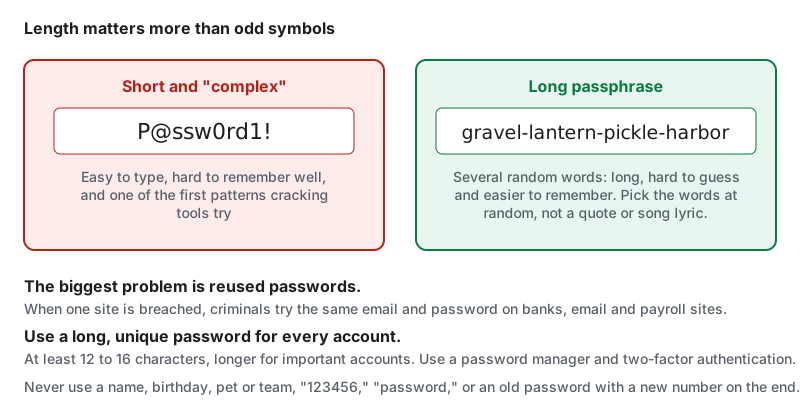
The biggest password problem isn’t weak passwords, it’s reused passwords. When one website is breached, criminals try the same email and password on banks, email and payroll sites. A long, unique password for every account stops that.
- Everyone
- Workers
What makes a password strong
- Length: at least 12 to 16 characters, and longer for important accounts. Length matters more than odd symbols.
- Unique: a different password for every account.
- Unpredictable: not based on your name, kids, pets, team, birthday or address, which are easy to find online.
Passphrases
A passphrase strings together several random words, like gravel-lantern-pickle-harbor. It’s long, hard to guess and easier to remember than a jumble like P@ssw0rd1!. Pick words at random, not a famous quote or song lyric.
Avoid
- Common passwords like “123456,” “password” or “qwerty”
- Simple swaps like “P@ssw0rd”; cracking tools try those first
- Adding a number to an old password (“Summer2025” to “Summer2026”)
- Writing passwords on sticky notes on your monitor or in your truck
- Sharing passwords by text or email, even with coworkers
- Using your work password on personal sites (or the reverse)
Most important accounts
Give your strongest, unique passwords (and two-factor authentication) to:
- Your email: it can reset every other password
- Banking, payroll and payment apps
- Your phone carrier account
- Your password manager
- Work accounts
When to change a password
You don’t need to change good passwords on a schedule. Change one right away if:
- The site reports a breach, or a breach-alert service flags your email
- You reused it anywhere
- You shared it or typed it on a computer you don’t trust
- You see logins or activity you don’t recognize
Make it easy
Nobody can remember dozens of unique passwords. Use a password manager, and add two-factor authentication or passkeys. See Password Managers and Two-Factor Authentication & Passkeys.
Standards & references
Last updated: